Automate your release notes creation and distribution
Create changelog from tickets, releases, issues and share them via email, social media or even inside your mobile or web app
How Updatify works
Updatify collects your changes, turns them into a polished changelog, and publishes to every channel at once.
Sources it pulls changes from
- GitLab: use merge requests and releases from your GitLab projects to create release notes.
- GitHub: use pull requests, releases and issues from your GitHub repositories to create release notes.
- Write it yourself: draft and edit updates in the rich text editor.
- Linear: turn finished issues and cycles into changelog entries.
- Bitbucket: use pull requests and releases from your Bitbucket repos.
Channels it publishes to
- X (ex Twitter): automatically share each published update to your X account.
- LinkedIn: publish updates to your LinkedIn company page.
- Discord: post to as many channels as you like, each with its own webhook and its own audiences, as formatted embeds.
- Email: deliver updates straight to your subscribers' inboxes.
- In-app widget: show the latest updates right inside your app with the embeddable widget.
You ship every week. Your users think nothing has changed.
Most products never tell anyone what shipped. So the feature a customer asked for goes live and they never find out, support keeps answering questions the last release already fixed, and prospects see a product that looks like it stopped moving. Everyone knows they should write release notes. It is manual work with no deadline, so it never happens.
Built for SaaS teams, product founders and indie makers
From merged PR to your whole audience
Set it up once. After that every release takes a single click.
Connect your tools
Point Updatify at the places your work already lands. It picks up merged pull requests, closed issues and tagged releases on its own.
Write it your way
Hand the raw tickets to AI and get back notes a customer can actually read, tuned for technical or non-technical readers. Or open the editor and write the update yourself. Either way you edit every word before it ships.
Publish everywhere at once
One click puts the same update in your in-app widget, your mobile and desktop apps, your subscribers' inboxes, your social and Discord channels, and your own changelog blog. No copying between tabs.

Deliver product update notes in a few clicks
Increase feature adoption and keep your users up-to-date with changelogs

Instant notifications delivery
Share your release notes not just in the widget, but on X, LinkedIn, Discord, by email, or on your own changelog blog
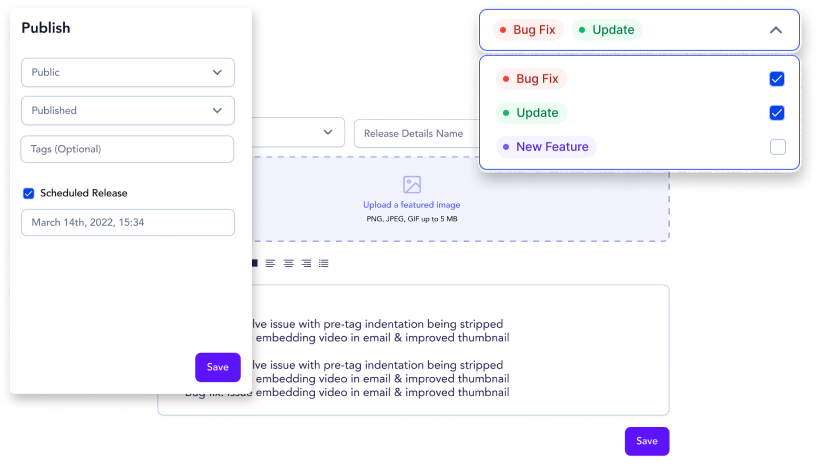
Embedded widget
Embed widget into your app using single line script, show updates, track views and reactions
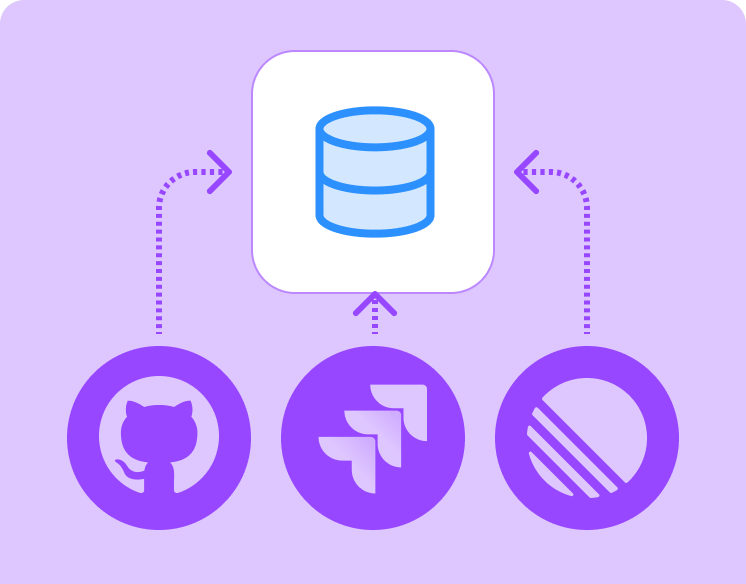
Multiple data sources
Import data for your updates from various sources - GitHub, GitLab and Bitbucket releases and pull requests, Linear issues, or text you write yourself
AI Powered
Rewrite text using AI to make it appropriate for your audience

Own blog
Get your own blog consisting of release note posts and custom posts visible only in blog

Audience segmentation
Split your release notes between various audiences - customers, engineers or your stakeholders
Select your plan
Startup
Essential features for your startup- 7 days free trial
- 1 Website Project
- 500 email subscriptions
- Image uploads
- Post reactions
Agency
Premium enhanced tools just for your agency- 7 days free trial
- Everything in basic
- 5 Website Project
- Custom Blog pages
- Custom domain for your blog
- Scheduled notes
- GIF image uploads
- Emoji and text reactions
Custom
Custom tools for your needs- Custom features
- Everything in professional plan
- Unlimited projects
- Email and phone support
- Advanced analytics
Frequently asked questions
Updatify automates creating and sharing release notes. Write them yourself in the WYSIWYG editor, or import from GitHub, GitLab, Bitbucket or Linear and let Updatify turn them into publishable release notes. Then Updatify posts them to X, LinkedIn and Discord, sends emails, and shows them in the embedded widget on web and mobile.
There are a few ways: import them from GitHub, GitLab or Bitbucket releases and pull requests, from your Linear issues, or write them yourself in our WYSIWYG editor.
You can embed a single line script which will add the release notes widget into your app and show it to your customers, on web or in a mobile app. Aside from the widget you can share the same update to X, LinkedIn and Discord, send it to your email subscribers, and publish it to your own changelog blog.
Absolutely! Your posts do not have to be updates only. You can post useful information, use case or any other relevant information. Besides modal window with your posts you can also have a dedicated page with all your posts which can act as a blog.
Yes. You can customize colors and logos today. We plan to add more ways to make your pages look unique, including custom CSS.
Yes. You will need to add script to your <head> section and select trigger button 🔔 on your page that will open modal window with all your updates.
Professional plan includes ability to add routes to your own domain to your updates/posts page making it more SEO friendly via CNAME on your dns provider
Not yet, at least not publicly. It is something we plan to release as part of our mobile apps support.
You can use our Flutter package , which covers iOS, Android, desktop and web. Swift, Kotlin and React Native packages will be added soon.
Keep your users in the loop with Updatify.
Easily embed our update widget into your app and share product updates
© 2021-2026 ProdigyTech Inc. All Rights Reserved