Updatify | Product Updates & News

Blogpost May 5, 2026 by Alex Sinelnikov

Top 5 Tools to Ship Better Release Notes & Changelogs in 2026

Photo by HI! ESTUDIO on Unsplash

Release notes used to be an afterthought - a dusty page nobody read, written the day before a launch. In 2026 they're a real growth lever: the right tool drives feature adoption, reduces "wait, when did that change?" support tickets, and quietly tells users your product is alive. The wrong tool wastes 25 minutes per post and locks you into rigid templates or MAU-based pricing that punishes you for growing.

This guide cuts through the noise. We compared the five tools we'd actually recommend in 2026 - based on what they cost, where they distribute updates, how they integrate with your dev stack, and (importantly) how often the tool itself ships new features.

Here are the five worth your time, ranked by who they're best for - starting with our top pick.

1. Updatify.io - Best for indie makers, founders, and fast-moving SaaS teams

Pricing: Startup $12.95/mo · Agency $22.95/mo · Custom (annual: -20%)

Free trial: 7 days

Best for: Indie makers, product founders, and SaaS teams that ship often and want everywhere distribution without an enterprise bill.

Updatify is the newest entrant on this list - and that's exactly why it's worth your attention. It launched v1.0 in September 2025 and has shipped 16+ user-visible updates since, averaging 2-4 per month. You can see the entire history yourself at notes.updatify.io. That cadence matters: most tools in this category go quiet for quarters at a time.

Why it stands out:

  • Multi-channel distribution from a single post. Updatify pushes your release notes to an in-app widget, email, X (Twitter), LinkedIn company pages, Discord, Slack, and Zendesk articles - all in one click. Most tools in this category cover two or three channels; Updatify covers seven.

  • Wide dev integrations. GitHub (releases and PRs, with auto-import), GitLab (multi-repo via PAT), Linear, and Jira. Auto-generation can group multiple repos into one release note or split them.

  • Smart Releases (auto-generation). Updatify can auto-generate a release note draft from your team's recent PRs, releases, or tickets - incrementally, so it only pulls in what hasn't been published yet. The grunt work is done before you open the editor.

  • AI rewrite with tone control. On top of auto-generation, you can rewrite any draft in one click and tell the AI whether you want emojis, formal phrasing, or something in between. Turn raw PR titles into customer-facing copy without leaving the editor.

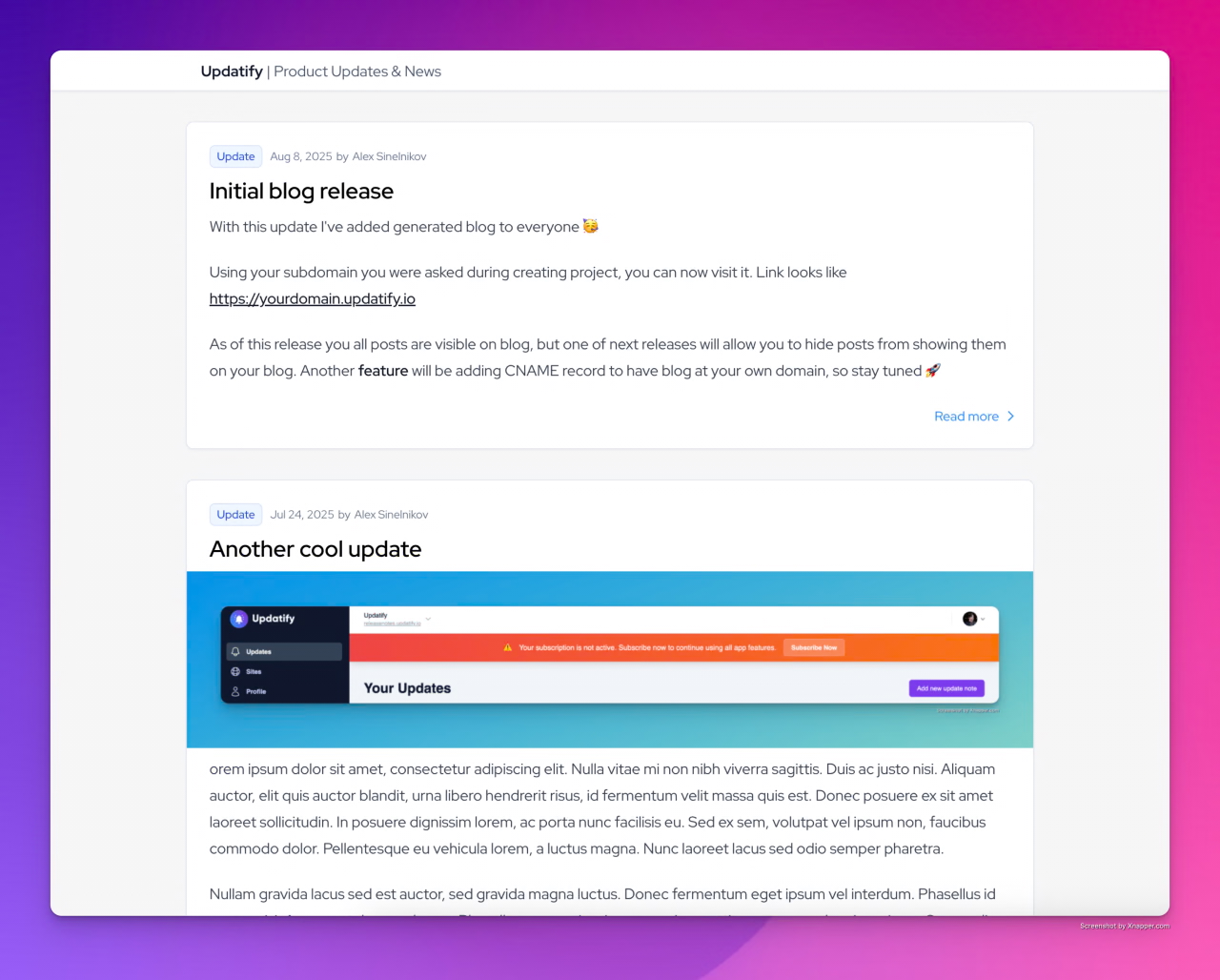
  • Built-in blog. Every Updatify project gets a public blog page on a subdomain (SSL handled), or your own custom domain on the Agency plan. Page-cut, Unsplash hero images, and tables in the WYSIWYG editor.

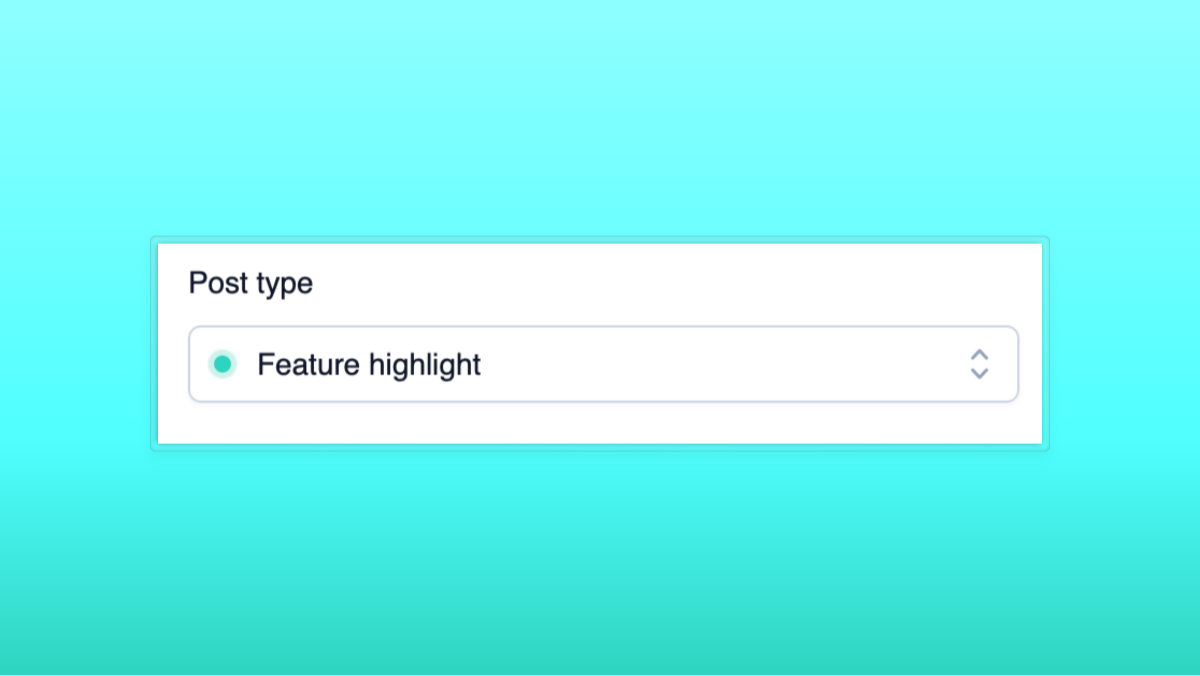
  • "Feature Highlight" post type. A separate format for re-surfacing existing features to users who joined after launch - addressing the silent-churn problem directly.

  • Bring your own SendGrid. If you outgrow the email subscriber limits, plug in your own SendGrid API key and remove the cap.

The honest trade-offs: it's still a young product, the public API isn't generally available yet (planned alongside mobile SDK rollout), and templating is more limited than the long-established players. But at $12.95/mo with predictable flat pricing, more distribution channels than anything else on this list, and a release cadence that proves the product is actively maintained - it's the one to try first.

2. AnnounceKit - Best for advanced segmentation

Pricing: Free (limited) · Essentials $49/mo · Growth $99/mo (with MAU-based scaling)

AnnounceKit is built around the in-app widget model - public changelog page, push notifications, and an embedded widget for your app - but its standout feature is segmentation. You can target announcements by plan tier, geography, user role, or custom properties. If you've ever wanted to announce a Pro-only feature only to Pro users, AnnounceKit makes that straightforward.

It also supports 40+ languages out of the box, which most tools in this category don't. Downsides: pricing creeps up with MAU at higher tiers, and the UI feels closer to a marketing tool than a developer-friendly changelog editor.

3. Headway (headwayapp.co) - Best free option for getting started

Pricing: Free (with Headway branding) · Pro $29/mo

Best for: Bootstrapped startups and indie projects with literally $0 budget for tooling.

Headway is the cheapest serious option on this list and probably the easiest to get started with. The free tier gives you unlimited changelog entries, the in-app widget, custom categories, Markdown editor, and the "Eyecatcher" badge animation - all with Headway branding attached. The $29/mo Pro plan removes the branding and unlocks custom domain, scheduled publishing, private changelogs, team posting, and Slack/Twitter integrations.

What you get:

  • Clean, distraction-free Markdown editor with image and video embedding (YouTube, Vimeo, Wistia)

  • Lightweight in-app widget with subtle "Eyecatcher" badge animation

  • Custom release categories (New, Improved, Fixed, etc.)

  • Public, private, or no-index-by-search-engines changelog modes

  • Slack and Twitter posting (Pro)

  • Team member profiles next to entries (Pro)

  • Flat-rate pricing - no MAU caps, no surprise bills

The honest read on the trade-offs:

  • No AI, no email subscriptions, no feedback collection. If you want users to react to or subscribe to updates, you'll need a different tool.

  • Updates to the platform itself are rare. Headway's own changelog at headwayapp.co/headway-changelog shows only a handful of meaningful updates over the last couple of years - most recent activity was reactive (handling Twitter API breakage). It works reliably, but don't expect new features.

  • No real integrations beyond Slack/Twitter. No GitHub, GitLab, Jira, or Linear pull-in.

  • Editor and analytics feel dated. Functional, but a step behind everything else on this list.

For getting a changelog live on day one with zero budget, Headway absolutely works. Most teams outgrow it within 3–6 months, at which point a tool like Updatify (more channels, AI rewriting, GitHub/GitLab/Jira/Linear) at $12.95/mo costs less than Headway Pro and ships features regularly.

4. ReleaseNotes.io - Best for full theming control

Pricing: Free (5 releases) · Teams $39/mo · Business $79/mo (per project)

Best for: Mid-market teams that want a polished hosted site with full HTML/CSS/JS theming.

ReleaseNotes.io has been around since roughly 2018 and has real customer logos to show for it - BugHerd, Forethought, Scale, Drawboard. Its standout strength is templating: the Business plan gives you full HTML/CSS/JS access to the underlying hosted site, so you can match your brand pixel-for-pixel. It also has an established AI Smart Releases feature that pulls from Jira, GitHub, and Azure DevOps to draft release notes automatically.

The trade-offs: $39–$79 per project per month gets expensive when you manage multiple products, the integration list is narrower than what Updatify offers (no GitLab, Linear, Discord, X, or LinkedIn), and platform updates themselves have been steady but unflashy.

Feature comparison

The "Avg. updates to own product" row is worth paying attention to. A changelog tool that itself rarely ships updates is a leading indicator - it usually means slower bug fixes, fewer new integrations, and less responsiveness to feedback. Numbers below are based on each tool's own public changelog or release notes page.

Feature

Updatify.io

ReleaseNotes.io

AnnounceKit

Headway

Starting price

$12.95/mo

Free → $39/mo

Free → $49/mo

Free → $29/mo

Pricing model

Flat per project

Flat per project

MAU-based (higher tiers)

Flat

Free plan

7-day trial

✅ (5 releases, 90 days)

✅ (limited)

✅ (branded)

In-app widget

Hosted blog/changelog page

✅ + custom domain

✅ + custom domain

Email notifications

✅ (BYO SendGrid, Brevo) or up to 1000 on paid plan

✅ ($10/1k extra)

X / Twitter posting

Pro tier

LinkedIn posting

Discord / Slack

Slack only

Slack (Pro)

Zendesk articles

GitHub integration

✅ (releases + PRs, auto)

Webhooks

GitLab integration

✅ (multi-repo)

Jira integration

Linear integration

Azure DevOps

AI writing / rewrite

✅ (Smart Releases + rewrite with tone)

✅ (Smart Releases)

User reactions / feedback

Audience segmentation

Private/public

Custom HTML/CSS

Limited

✅ (Business)

Custom domain

Agency plan

Business plan

Pro

Public API

Coming soon

Mobile SDK

Flutter (in progress)

Avg. updates to own product (per year)

~30 (2–4/month)

~6–10 (steady, low)

~10–12 (monthly)

~2–4 (rare, mostly reactive)

Founded / launched

2024

~2018

2018

2016

Update Mar 12, 2026 by Alex Sinelnikov

Auto generation enhancements

Photo by Marita Kavelashvili on Unsplash

Auto-Generation Enhancements

  • Improved GitLab auto-generation algorithm for multi-repo setups, enabling grouping of updates into single or multiple release notes.

  • Added auto-generation for GitHub imports to create release notes from latest releases or pull requests, with incremental updates based on previously processed PRs and releases.

Unsplash Support

  • Integrated Unsplash, allowing users to select images directly from Unsplash instead of uploading hero images.

Editor Enhancements

  • Added table support to the WYSIWYG editor, including options to add or remove rows and columns and configure headers.

GitLab Integration Features

  • Allow adding release or PR from import modal to existing draft updates.

  • Support fetching limited numbers of PRs and releases from GitLab.

  • Store original update text for future edits and revisions.

  • Increased the number of projects available per plan.

Workflow Improvements

  • Added reset button to the auto tab during GitLab import.

Update Feb 23, 2026 by Alex Sinelnikov

Gitlab Integration

GitLab integration

Today releases brings GitLab integration on the table.

GitLab integration allows you to connect multiple repositories using your PAT(private access token).

When connected you will have access to Merge Requests and Releases and can use them to create your release notes.

To connect - simply go to Integrations on sidebar and hit + button on GitLab integration.

AI Improvements

  • AI Tone - you can now add extra instructions to AI rewrites. Whether you want to have more emojis, or more personal(or even more formal) tone - you can do that with ease

Update Feb 17, 2026 by Alex Sinelnikov

Update 2026.02 - More ways to publish changes

This update is the biggest update we've made ever. With this update we've added a bunch of cool features, improvements and other things.

AI-powered writing engine

This was one of features which our customers were asked the most - to have a way to rewrite your release notes right within updatify. Now you can do that via button on editor. This can be very useful to those who uses Github to import releases or pull requests. In just 1 click you can now turn a bunch of technical data into customer-readable data.

LinkedIn Integration

With this feature you now can post your updates to your LinkedIn company page. Simply connect it on integrations page and when you create next post, make sure you tap checkbox "Post to LinkedIn" on sidebar.

Twitter/X Integration

In one of previous updates we've added initial Twitter/X integration to post your updates to Twitter/X account. This update improves stability, adds a way to post images to your post, limits # of symbols to 280 when you're on free account and few more improvements.

Along with those, you can now write custom text for your Twitter post, either shorter way or just a link to external page to read it.

GitHub

Another improvement made to GitHub - now you can import not just releases, but also pull requests. This was requested feature, so I hope GitHub integration can now provide more value and improve your workflow.

Reworked embedded widget

Originally widgets were core idea of updatify, however as I'm adding more integrations I decided to make widget as integration too. All current widgets will remain to be working, they just moved under integrations menu. But now I can add more configuration to widgets, so you could make them truly unique

Update Jan 13, 2026 by Alex Sinelnikov

Twitter integration

Happy New Year 2026 🎅🏻

The 2026 release introduces a new feature that allows you to share your update notes directly to your connected X(Twitter) account.

To use this feature, connect your account and select whether you want your update post to be shared on X via the sidebar options.

The X integration also supports images. Your primary image will be included as an image in your X post.

Update Jan 7, 2026 by Alex Sinelnikov

New landing page

Happy holidays everyone!

Last few weeks I was busy building some new features and updating landing page.

Recently one of my X posts went viral and showed a ton of issues with my landing page and how hard was it to understand the idea.

Today I released updated landing page to explain better what is updatify and how can if make your life easier.

As for new updates - stay tuned, I will be releasing cool new feature later this week

Update Nov 13, 2025 by Alex Sinelnikov

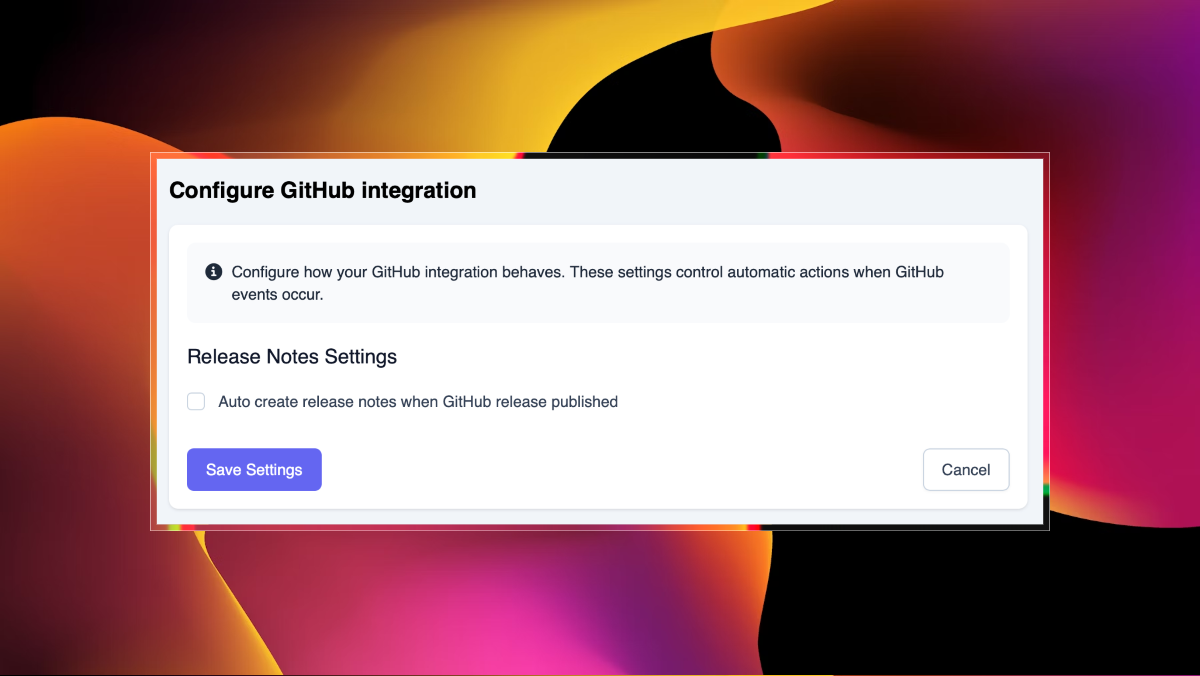
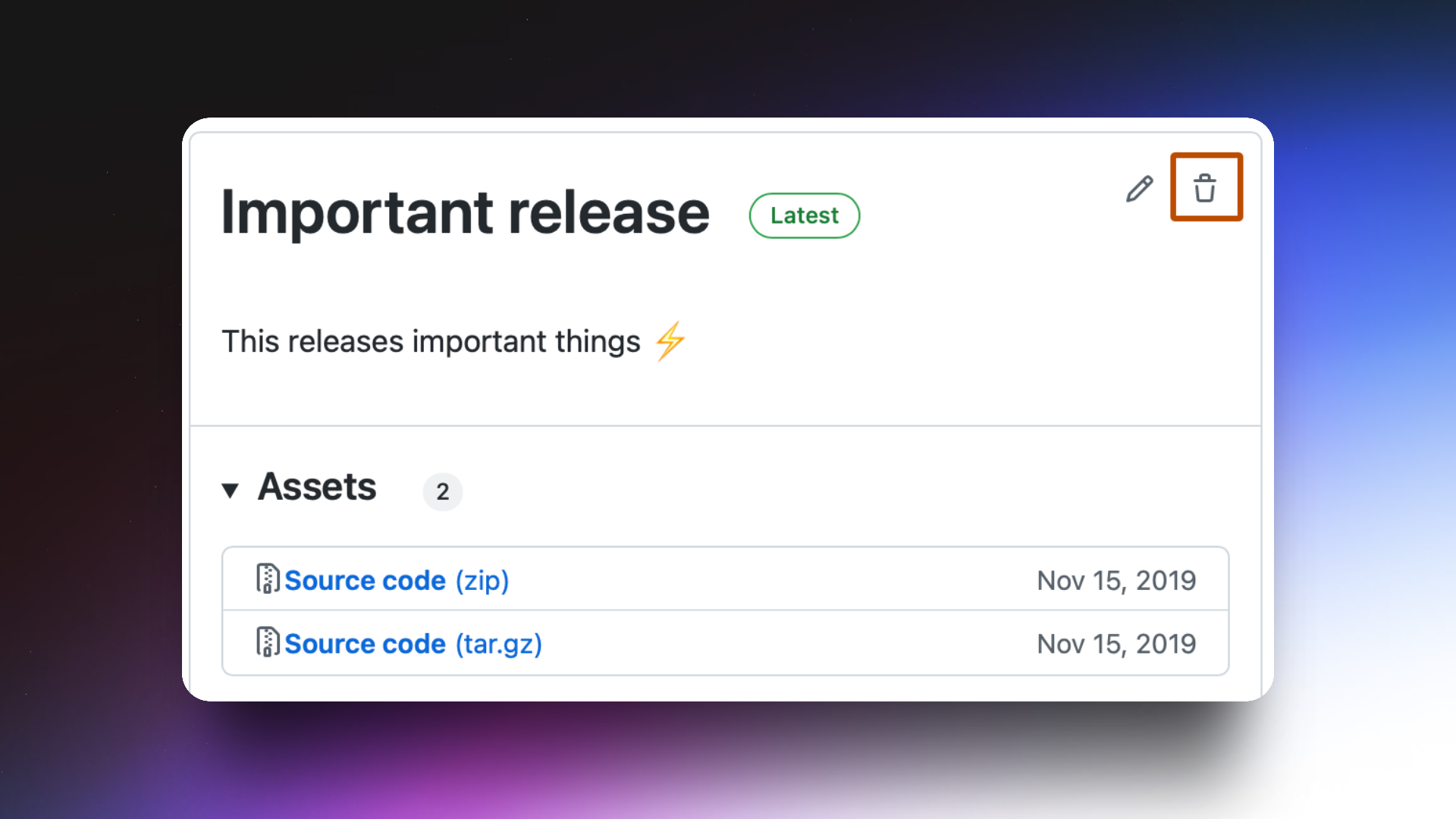
Automated GitHub releases

With this small updated I added an option to finally have your GitHub releases to automatically create draft posts on platform.

By default it turned off, but can be easily turned on in integration settings.

Only published releases will be imported

Feature Highlight Oct 28, 2025 by Alex Sinelnikov

New post type and a reminder

In today's update I added new type of post - "Feature highlight". How can you use it?

Easy - just remind your customers about features they don't use or don't see. There are many cases when you worked hard on something you think important - but your users don't use it. One of problems - they might not know about it. Especially if they joined after you released it, so they totally missed your release notes.

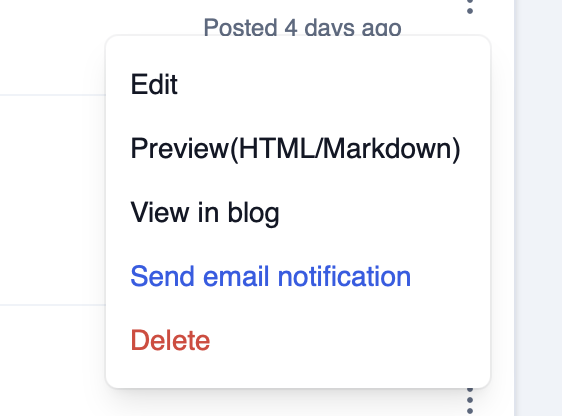
Feature highlight: Email notifications

Email notifications already a part of subscription, you can send them through dropdown menu(on screenshot below). Just make sure it's final revision of your release note, since you can't edit it after it was sent.

Update Oct 23, 2025 by Alex Sinelnikov

v1.0.5: HTML and Markdown preview

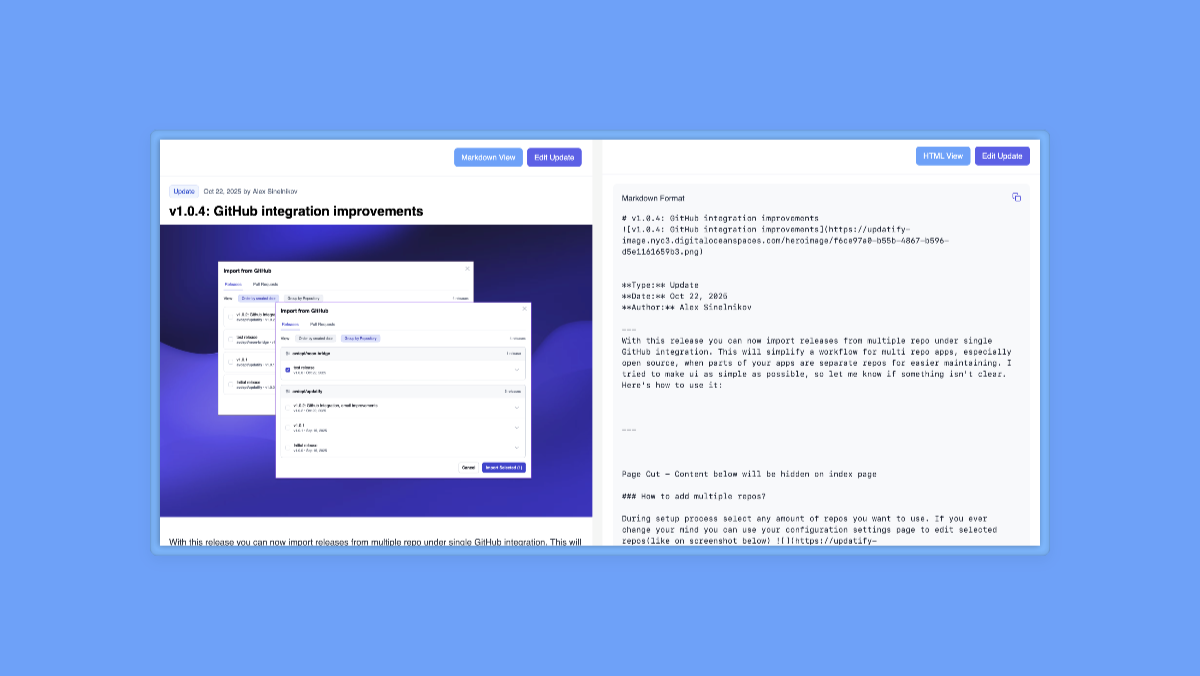
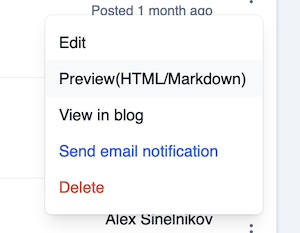
Today I shipped new update that adds small feature - previews, both HTML and Markdown. This feature available in the actions dropdown -

With HTML its all clear - just look at how your post will look like for your customers.

With Markdown - the main deal is to provide you a way to reuse this text somewhere else. Markdown preview includes also hero image, so you can literally copy text(via button in top right corner) and use it anywhere else(your own blog, emails, etc).

Update Oct 22, 2025 by Alex Sinelnikov

v1.0.4: GitHub integration improvements

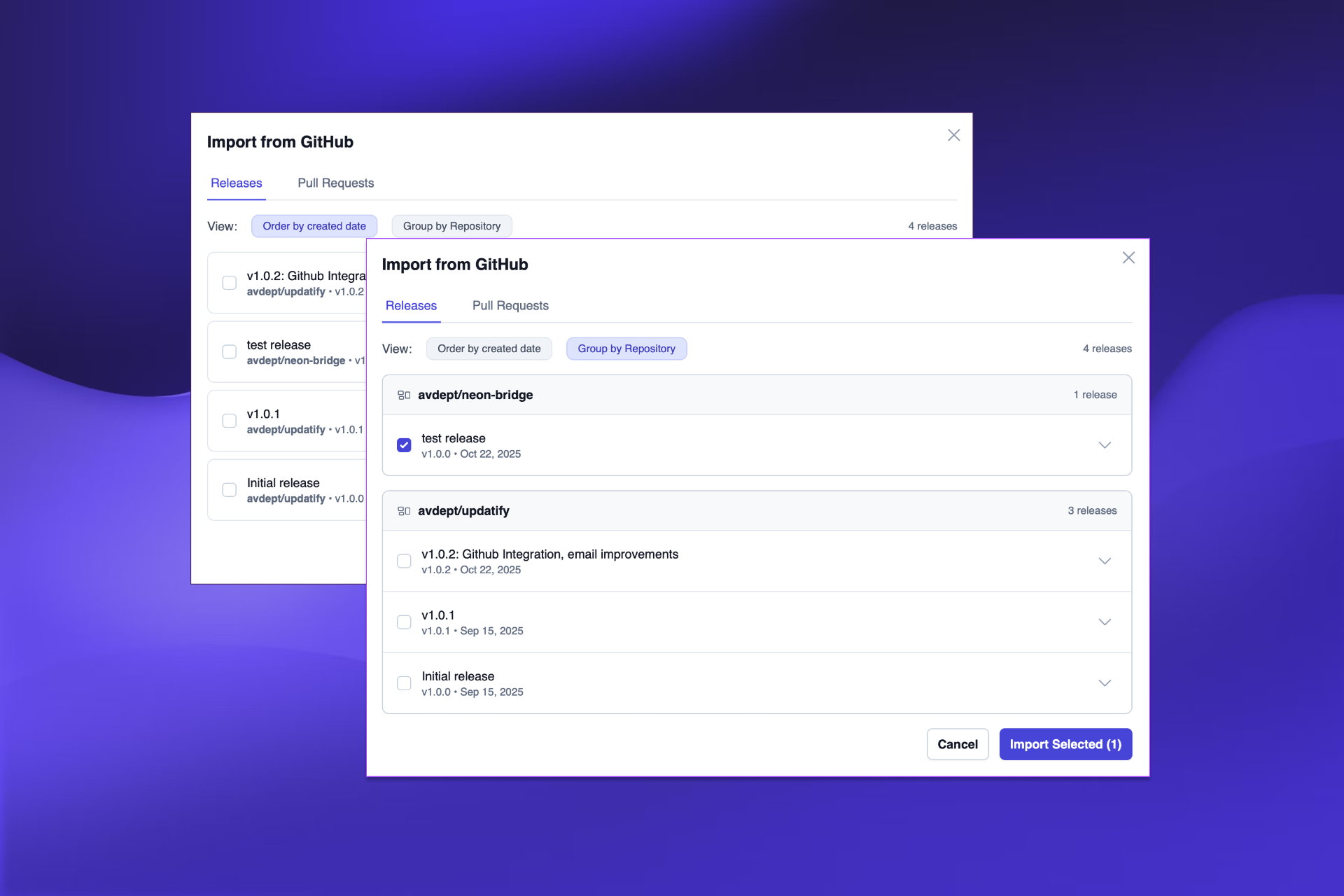
With this release you can now import releases from multiple repo under single GitHub integration. This will simplify a workflow for multi repo apps, especially open source, when parts of your apps are separate repos for easier maintaining. I tried to make ui as simple as possible, so let me know if something isn't clear. Here's how to use it:

Update Oct 14, 2025 by Alex Sinelnikov

v1.0.3 - Page cut and more WYSIWYG editor changes

Page cut:

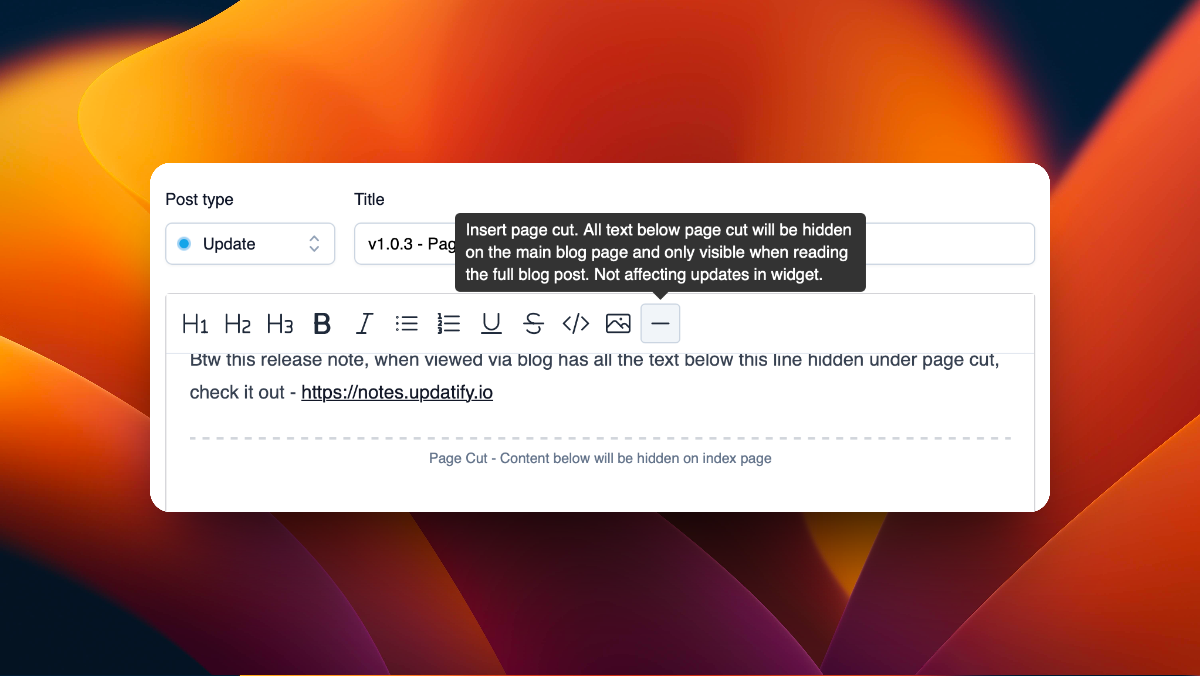
With this release I added a new tool to editor toolbar - page cut ✂️. The idea is to help you to shorten text on blog pages allowing you to hide part of text from index page and be visible on blog post page.

Please keep in mind - page cut does not affect your notes in widget, so if you have long release changelog - it will be fully visible in embedded widget.

Btw this release note, when viewed via blog has all the text below this line hidden under page cut, check it out - https://notes.updatify.io

Update Sep 30, 2025 by Alex Sinelnikov

Programmatic widget opening

Today I added a small feature to allow you to open widget programmatically, using your own buttons, events or any other way.

By simply calling window.openUpdatify() you will open updates widget. It should also handle issues some users had with React based apps when widget script was loaded before main app, making triggers inactive.

Other fixes

  • Removed paywall on widget code embedding page. Now you don't need subscription to embed widget to your app(but you still need subscription to show it)

  • Improved SEO on blog pages

Notes

I'm working on new editor feature called page cut - its an element that will allow you to hide part of your text on blog index page, moving it inside blog show page giving you more control over how you structure your posts

Update Sep 29, 2025 by Alex Sinelnikov

v1.0.2 - Sendgrid Integration

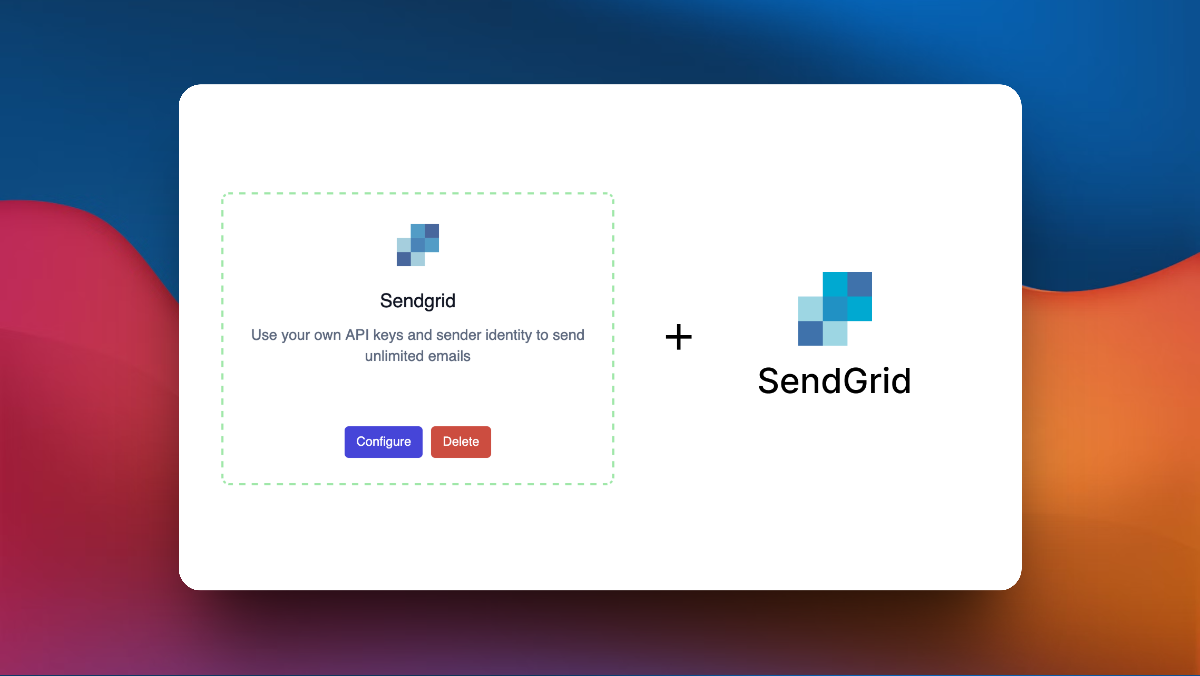
This new release adds new integration - SendGrid 🚀 It's one of those "bring-your-own-key" integrations that removes limits on usage. With sendgrid integration you can use your own API key and sender identity to remove limits on # email subscribers and generally send as much emails as possible, using your own instance and domain.

Other changes:

  • Fixed "canonical" tag on blog pages, now it refers to original updatify.io domain. In future this can be edited via blog page settings

  • Fixed counting views while scrolling though widget. Now it calculates post as shown when its scrolled at least 50%

  • Under the hood changes & fixes

Blogpost Sep 12, 2025 by Alex Sinelnikov

Why release notes important for your product?

What it is and why do I need it?

Release notes is usually a list of whats changed in your application since you last deployed it. Thats how it looks for us - developers. For end users it's more than just whats changed. For some of them it's a way to find out about new features or about bugs that were fixed. For others it's a way to know that product alive and still develops.

Release notes are often treated as a technical afterthought, but they're actually one of the most powerful tools for improving user retention. Well-crafted release notes can significantly reduce churn by addressing a fundamental user experience problem: unexpected product changes. For example I found a screenshot tool which I like. Paid version removes watermark and adds some extra features. But the problem is - last release note was done in 2023 so I have no idea whether they still operate and will it be supported with newer OS releases. I didn't get paid version, moved on because of that reason.

How Release Notes Boost Retention

  • Drive Feature Adoption: Many valuable features go unnoticed without proper announcement. Release notes help users discover and adopt new functionality, and higher feature adoption correlates strongly with increased retention.

  • Build Trust Through Transparency: Users who understand what's changing and why are significantly more likely to stay. Release notes create transparency that directly translates into trust and long-term retention.

  • Reduce Support Friction: Clear release notes dramatically decrease support tickets related to product changes, creating a better user experience while reducing costs.

  • Prevent Surprise - Driven Churn: Unexpected changes are a primary churn trigger. Release notes provide advance notice and context, helping users adapt rather than feeling blindsided.

Best Practices for Impact(from experience of running release notes for 7 years)

  • Write for users, not engineers: Focus on user benefits, not technical details

  • Be specific: "Reduced page load times by 40%" vs. "improved performance". Mostly users don't really understand value behind numbers, but they like to feel themselves more technical.

  • Acknowledge disruption: If changes affect workflows, address this honestly and provide guidance. But its best to be sent via email notification, since not all users actually read release notes.

  • Include visuals: Screenshots and GIFs improve comprehension dramatically

"The Strategic Advantage"

Companies that treat release notes as a strategic communication tool - rather than a technical requirement - build stronger user relationships and achieve measurable improvements in retention metrics. In crowded markets where acquisition costs continue rising, the small investment in quality release notes delivers outsized returns in user loyalty and satisfaction.

Release notes aren't just documentation - they're a retention tool that builds trust, reduces friction, and keeps users engaged with your evolving product.

Update Sep 8, 2025 by Alex Sinelnikov

v1.0.1 - Integrations, images and more

Welcome to first updatify's update ever 🚀

With this update I introduced few new features which will be useful to many

GitHub Integration

With this GitHub integration you can import your releases from GitHub, reducing time it takes to write public release notes. GitLab and Gitea will be added soon

Inline image upload

New button on toolbar to upload image and paste it at your cursor

Other changes

  • Gmail Login: Added Gmail authentication for seamless account access. Sign in with your Google account for faster, more secure login.

  • Improved gif playback

  • Added email subscribers count(and # of available subscriptions) on subscribers page

  • Added profile image which later will be shown on blog pages

Update Sep 5, 2025 by Alex Sinelnikov

Updatify v1.0 is now live!

Today is the day!

I finally pushed the latest build to the server.

This means I'm getting closer to release. So far I've wrapped up all the features I wanted for the initial release and am now ready to help others deliver their update notes to their customers.

Here's what's available with this initial release:

  • Update widget

  • Automatically generate blog page on your selected subdomain (SSL handled for you)

  • Email subscriptions, including management of your current subscribers (email opening analytics coming soon)

  • Hero image upload including gif animation on pro plan

  • Scheduled posting - schedule posts sometime in the future

  • Interactions on posts - see upvotes/downvotes for your updates

  • Post view statistics

Keep your users informed and engaged with an embeddable update widget. Share product updates directly in your app, let users vote on features, and build an email subscriber base - all from one simple tool. Start your free trial today!

Update Aug 8, 2025 by Alex Sinelnikov

A path to release

As you probably noticed on update's screenshot - new landing page is done and my wife said its awesome and she likes it!

Jokes aside, I've been asked few times recently on reddit whats the status of updatify, and how long till release, so here's my plan

  • Landing page ✅

  • Setup payments ✅

  • Setup emails ✅

  • Updates, scheduling, etc ✅

  • Blog pages ⚠️ - currently in progress

  • Email subscriptions ❌ - haven't started yet, thinking whether it makes sense to remove them from initial release

Update Mar 17, 2025 by Alex Sinelnikov

When release?

What's happening with updatify? When release?

I've been asked these questions for last 2 months on twitter. Unfortunately I do have 9-5 and thats what stops me from committing more time to updatify. At some point 9-5 turned to more like 9-9 making really low time to work on updatify.

Right now I almost have landing page done, so thats pretty much last thing that stops me from making this initial release

So to answer those asking when release - I think 2-3 weeks, so stay tuned!

Update Nov 18, 2024 by Alex Sinelnikov

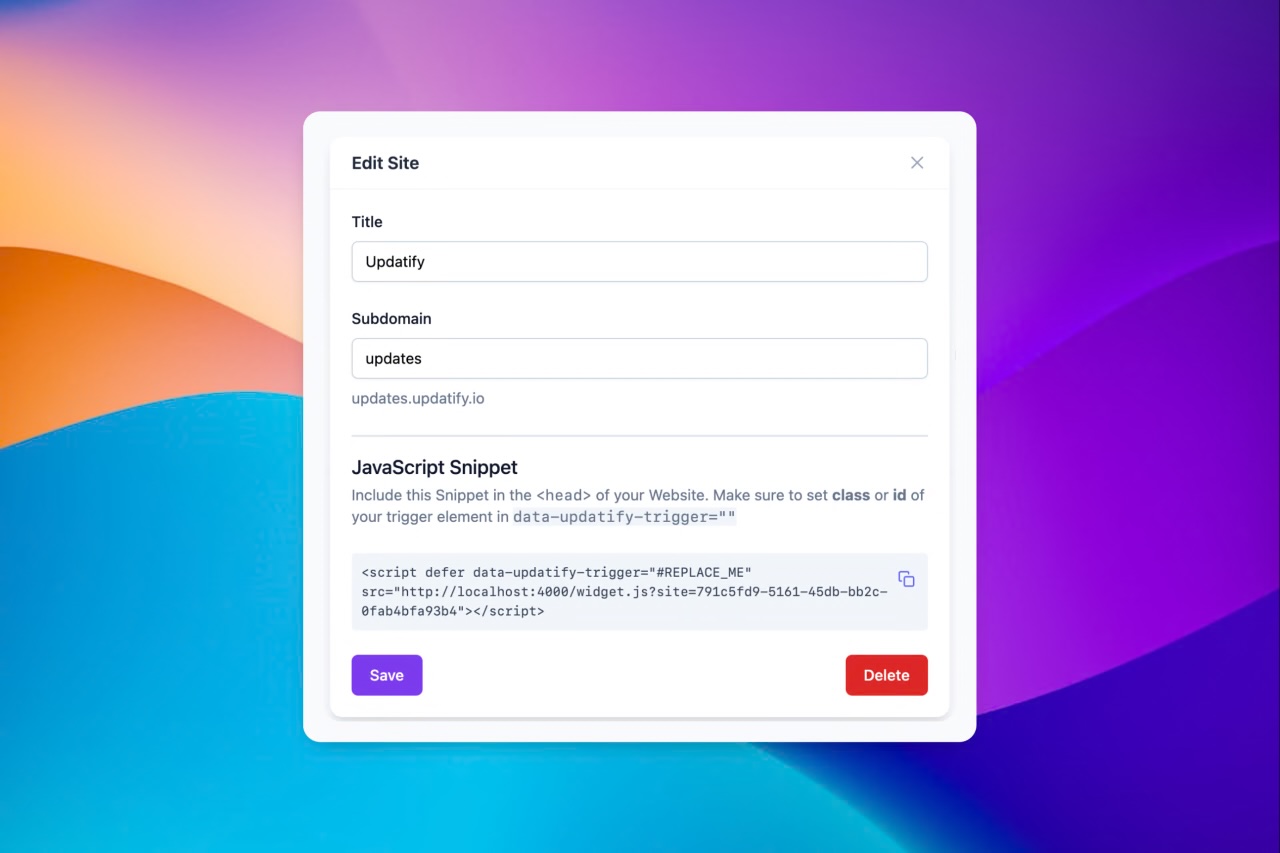
Embed script setup process

Widget script embedding

These weekends I worked on script embedding. So far updatify.io didn't have a way to show you how to embed script to your page.

Well, now its available right after you add new website to your dashboard.

For now it provides configuration asks you to enter data-updatify-trigger which will act as a trigger button to open and show your widget.

I also working on adding extra configuration parameter which allows you to also add an attribute which could be used to show # of notifications to view or simple ping animation.

This is just first initial release, but over time I plan to add more configuration options to make updatify.io even more customizable

Update Nov 12, 2024 by Alex Sinelnikov

Custom triggers + landing page update

Custom triggers

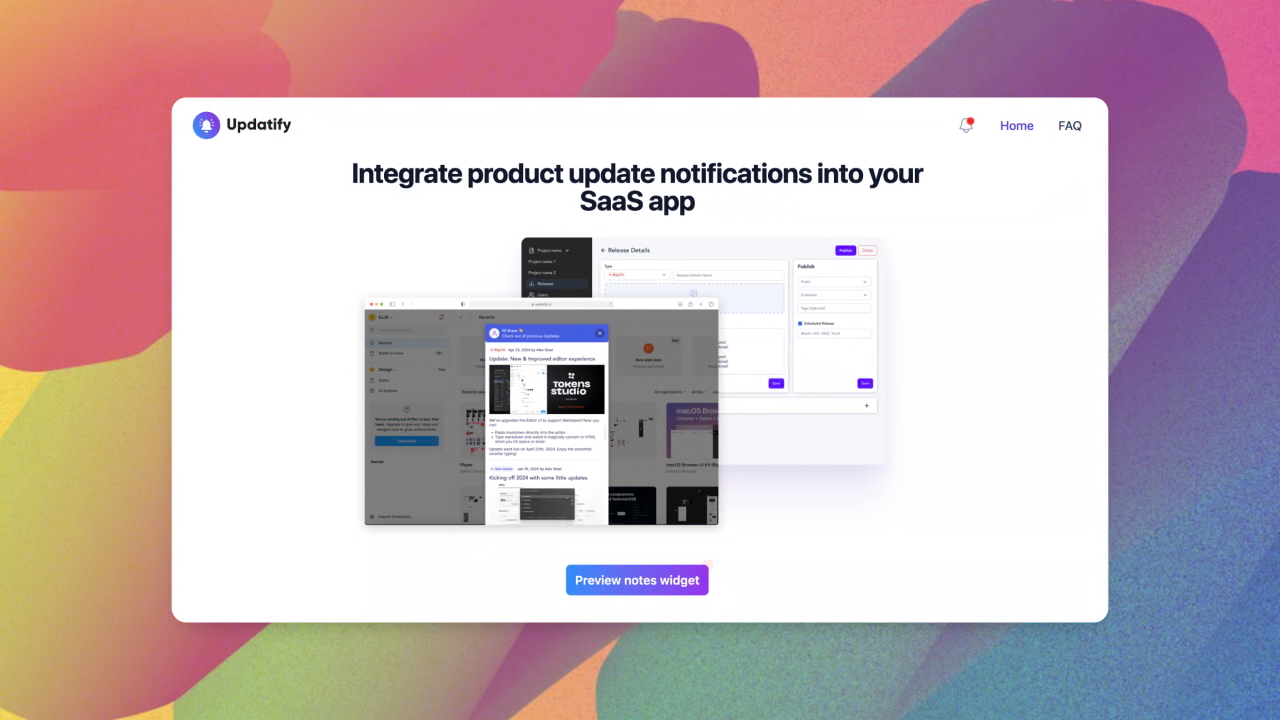
Custom trigger is basically an element on your page which will open modal widget with all your updates.

To add one(or multiple) you just need to set data attribute to data-updatify-trigger

Here's how it looks on my landing page

<button data-updatify-trigger class="...ommited classes">
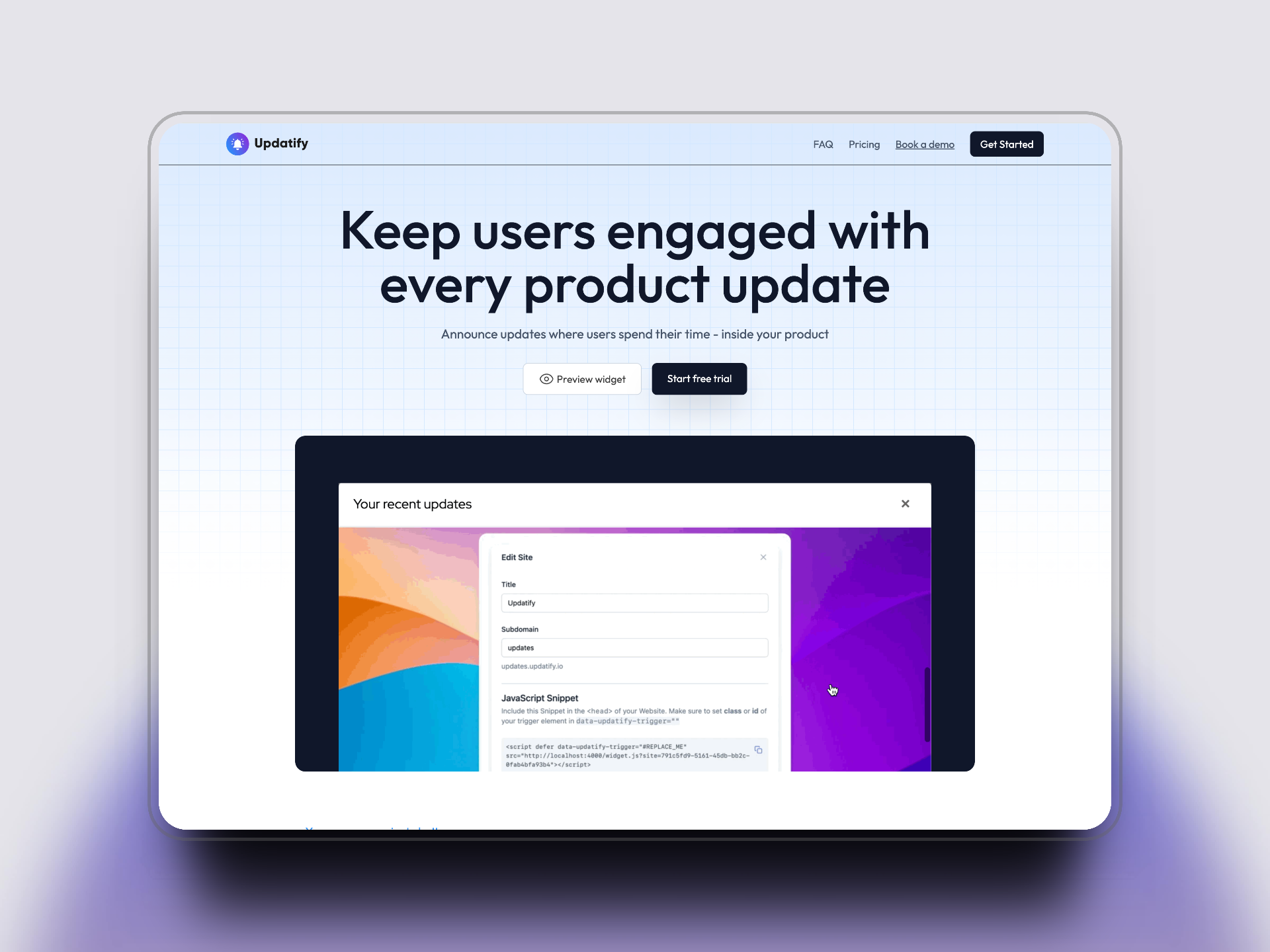
     Preview notes widget
</button>

Update Nov 3, 2024 by Alex Sinelnikov

Welcome to updatify.io

Initial release note

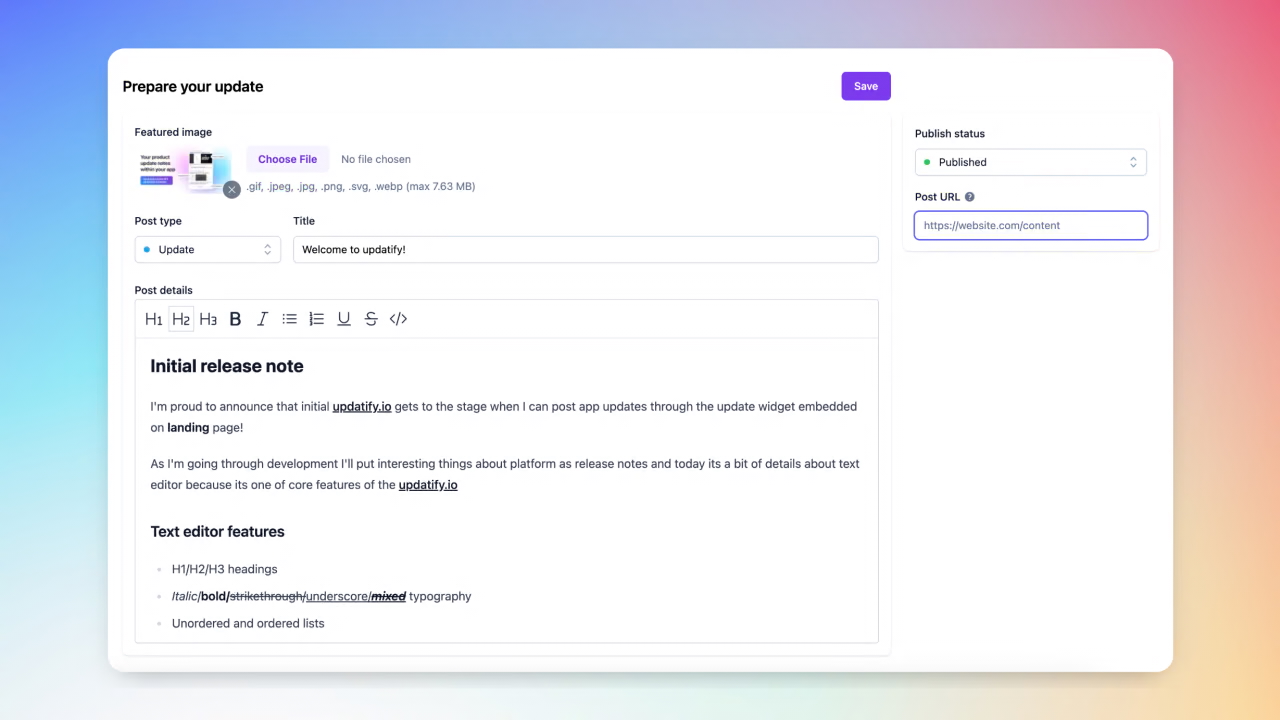
I'm proud to announce that initial updatify.io gets to the stage when I can post app updates through the update widget embedded on landing page!

As I'm going through development I'll put interesting things about platform as release notes and today its a bit of details about text editor because its one of core features of the updatify.io

Text editor features

  • H1/H2/H3 headings

  • Italic/bold/strikethrough/underscore/mixed typography

  • Unordered and ordered lists

  • updatify.io - custom links

  • Default Keybindings(cmd+b, etc)

Or even code blocks

onCreate({ editor }) {
  _this.updatedAt = Date.now();
  _this.updateHiddenInput(editor.getHTML());
}

One of few things I'm currently working on:

  1. Inline image uploads

  2. Code syntax highlight

  3. Autosave as you type